Review Comments (39) Screenshots (10) Questions & Answers (11/10) Votes (1184) Awards (16) Wiki  
OpenOffice
3.3.9567
www.openoffice.org
Open source
407 118 people
Download OpenOffice.org

150.75 MBDownloaded 49801 times

 
Video tutorial for OpenOffice.org 3.3
Frame

Review

This is official description

OpenOffice.org is the leading open-source office software suite for word processing, spreadsheets, presentations, graphics, databases and more. It is available in many languages and works on all common computers. It stores all your data in an international open standard format and can also read and write files from other common office software packages. It can be downloaded and used completely free of charge for any purpose.

OpenOffice.org is easy to learn, and if you're already using another office software package, you'll take to OpenOffice.org straight away. Our world-wide native-language community means that OpenOffice.org is probably available and supported in your own language. And if you already have files from another office package - OpenOffice.org 3 will probably read them with no difficulty.
 
The following review written by one of the Software Informer contributors applies to version 3.0

Sun has developed a software for those in need of something similar to Microsoft Office. As part of a growing open source and free software community, it brings to us this suite office with GPL license. Let me explain, GPL means that you can use the software as you wish, share it with your friends, modify the program and whatever you want, without paying any fee. Besides that you don't have to pay to use it, the suite has a very complete office tool set with all the programs you have in Microsoft office and almost all the functions you find in every program. Usually I use three, Calc (same as Excel) Impress (same as Powerpoint) and Writer (same as Word).You don't feel the difference. Just a few functions present in Microsoft programs are not present in OpenOffice.org programs. Like insert a link to an image, or some rare statistic functions. Despite all of this, all the openOffice.org programs take advantage from the fact that if you need to export some document to pdf format, you need additional tools to do that. With one click you can have your document in pdf format in seconds.
  • It's a free software.
  • Very improved interfaces in all the programs, same as Microsoft Office.
  • A little slower than Microsoft office.
  • Lacks of a few functions present in Microsoft Office.

Reviewed by: Vanesa Paez

Reviewer rating:

Reviewed: 2 years ago

Report a wrong version Report a wrong program title Suggest a correction

Screenshots

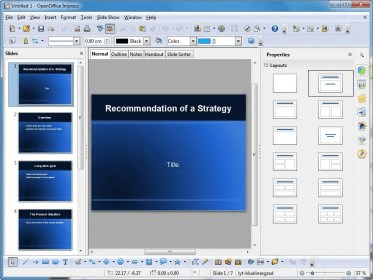
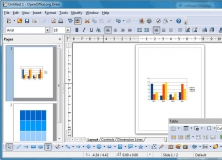
Main Screen Main Screen Writer Writer Calc Calc Draw Draw
All 10 screenshots

Latest comments

Guest #19248303(beginner) 7 months ago 
Dear Karthikeyan,
As discussed pls find the Connection details & Fault booking process along with Escalation Matrix.
Reply
Guest #18103137(beginner) 8 months ago 
— apippudinss@gmail.com
Pros: good
Cons: not
Comment: that very help me and this application its easy deep work me...
thanks for open office
Reply
Guest #97676962(beginner) 10 months ago 
too slow, parts too complicated,
MS compatibility insufficient for commercial needs
Reply
Add new comment All 39 comments

E-mail Address:

Password:

Register now »

Forgot password?

Sign in with:
.smf OpenOffice.org 5.0 Formula
.sdc OpenOffice.org 5.0 Spreadsheet
.sdd OpenOffice.org 5.0 Presentation
.sdw OpenOffice.org 5.0 Text Document
.sgl OpenOffice.org 5.0 Master Document
Download Software Informer Client
Why should you use Open Office but more likely won't?!
Microsoft Office is not the best suit out there, and there are many alternatives, but we...
All articles
Copyright © 2012, Informer Technologies, Inc. About| Privacy and terms| Help| Feedback & Support| Partners program